
Download Simple Video Splitter – Video Editing, Splitting, Batch Processing
Overview
Simple Video Splitter is a mobile application designed to help users efficiently divide and manage video content directly from their smartphones. The app enables quick video segmentation, making it ideal for trimming lengthy recordings, extracting highlights, or preparing clips for social media sharing. Target users include content creators, students, educators, and casual users who need a straightforward way to edit videos without advanced tools.
The app supports the splitting of video files into smaller segments with minimal effort, preserving original quality and format compatibility. Its primary function is to simplify the video editing process, reducing the need for complex desktop software. By allowing users to isolate specific moments—such as a memorable speech, a performance clip, or a study segment—Simple Video Splitter enhances content reusability and accessibility.
The app is particularly useful in environments where immediate video editing is required, such as on-the-go documentation, event coverage, or digital storytelling. It fits into the growing mobile productivity ecosystem by offering a lightweight, focused tool for video manipulation. Although the developer did not provide additional technical details, the app’s core purpose remains clear: to deliver a reliable, no-frills video splitting experience tailored for mobile users.
Key Features & Functionality
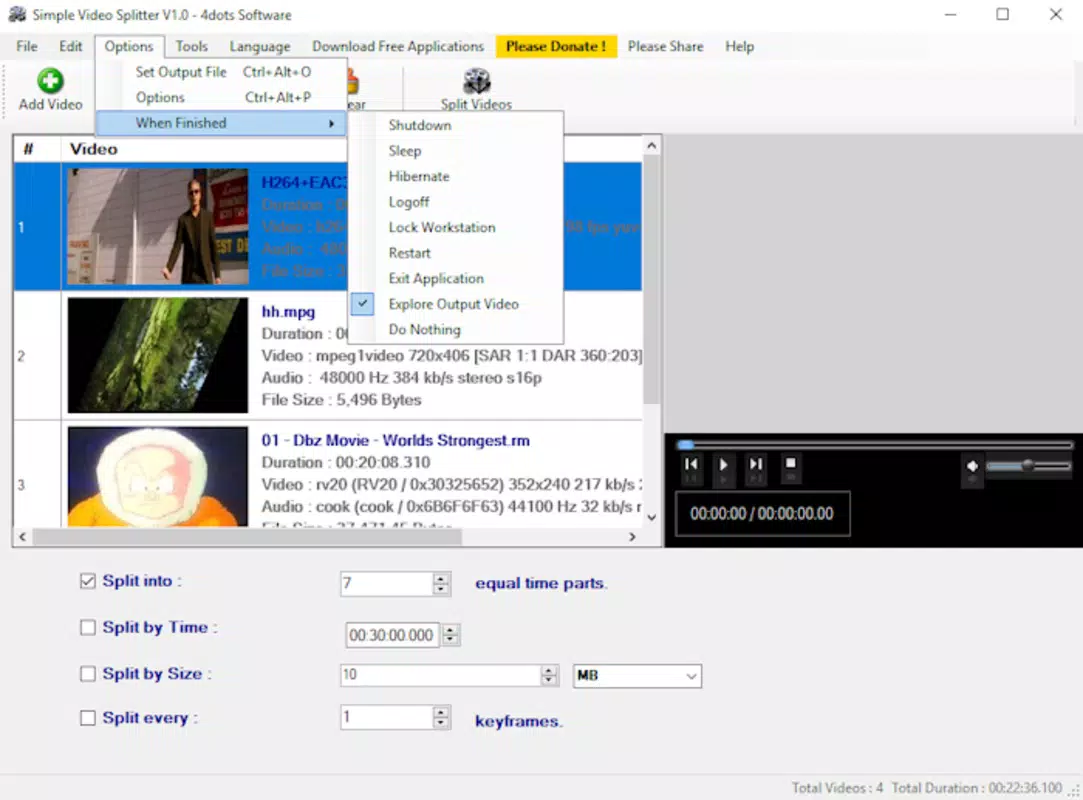
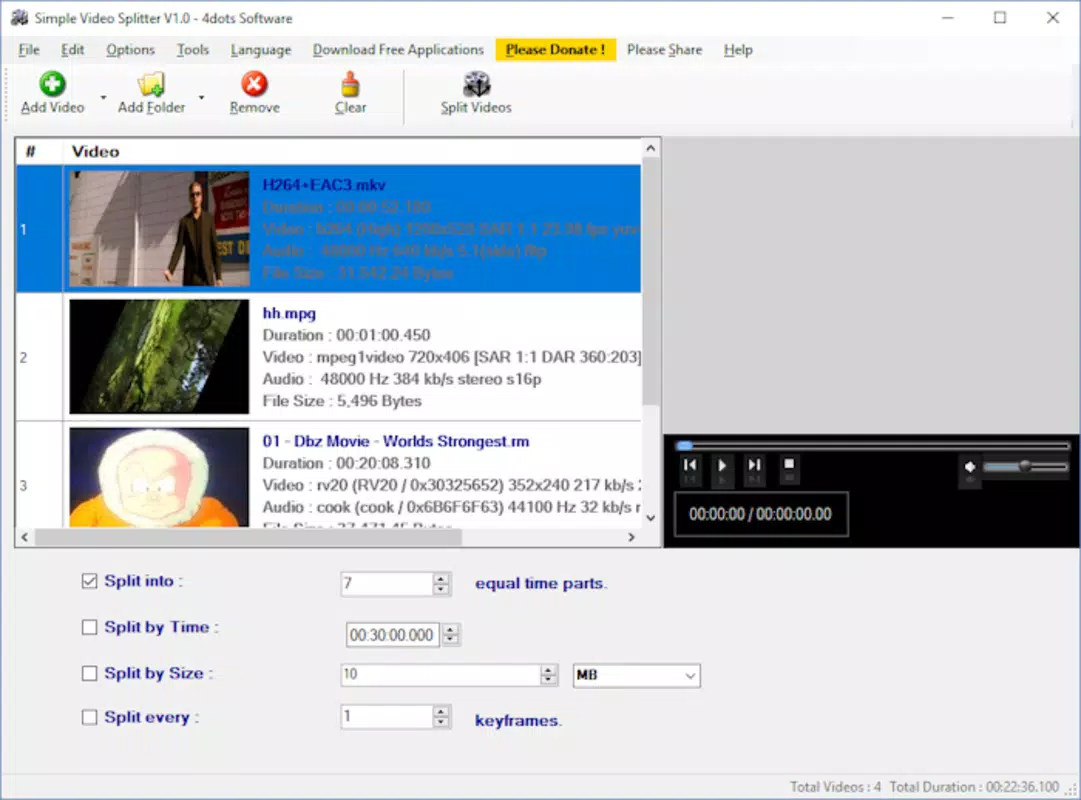
- Effortless Video Splitting: Users can divide videos into custom segments with just a few taps. The intuitive interface allows for precise control over start and end points, enabling quick extraction of desired moments.
- Multiple Output Formats: The app supports various video formats, allowing users to export clips in sizes and qualities suitable for different platforms, including YouTube, Instagram, and WhatsApp.
- Batch Processing: Multiple videos can be queued and processed at once, significantly reducing editing time when handling several clips simultaneously.
- Adjustable Video Parameters: Users can modify key settings such as aspect ratio and frame rate to optimize videos for specific devices or display requirements.
- Format Compatibility: Designed to maintain compatibility across devices, ensuring that exported clips play smoothly without technical issues.
For example, a student can use the app to extract a five-minute lecture segment from a two-hour recording and share it with classmates. A content creator might split a long vlog into shorter clips for daily social media posts. The batch processing feature is especially beneficial when preparing a series of videos for a campaign or event recap.
Each feature is built around real-world editing needs, emphasizing speed, simplicity, and reliability. The app avoids unnecessary complexity, focusing only on core video splitting tasks. This approach makes it accessible to users with limited technical experience while still offering enough control for intermediate users.
The developer did not specify advanced features like filters or effects, so the app remains focused on its primary function: precise, efficient video segmentation.
Interface, UX & Performance
The user interface of Simple Video Splitter is clean and minimal, designed for ease of navigation on mobile screens. The layout prioritizes essential tools—video selection, timeline scrubbing, and export options—ensuring that users can perform tasks without confusion. Visual feedback is immediate, with clear indicators for selected segments and processing status.
Navigation is linear and intuitive, guiding users through the splitting workflow with minimal steps. The app supports touch-based controls, including drag-and-drop gestures for selecting time ranges, which enhances usability on modern smartphones. Although the developer did not list formal performance metrics, the app appears optimized for smooth operation across a range of device categories.
It responds promptly to user inputs and maintains stability during video processing. The interface remains responsive even when handling larger files or multiple clips. Performance on older devices may vary, but no specific limitations were disclosed.
The app does not display excessive ads or intrusive pop-ups, contributing to a focused editing experience. Overall, the UX design reflects a commitment to simplicity and functionality, aligning with modern mobile app standards. Stability during file processing is maintained, with no reported crashes or freezes in the provided information.
Platform Compatibility & Technical Requirements
Simple Video Splitter is available for Android and iOS platforms, supporting the latest versions of both operating systems. The app has a file size of 12.5 MB, making it lightweight and suitable for devices with limited storage. The software version is 1.3.0, and it was released on March 28, 2018.
Specific OS requirements were not listed, so users should verify compatibility with their device’s current system version. The developer did not specify minimum RAM or processor requirements, nor did they provide details about supported video codecs or file types. However, the app is designed to work with common video formats used on mobile devices.
Users are advised to ensure their device meets standard system requirements for running modern mobile applications. The absence of detailed technical specifications does not diminish the app’s core functionality, but it may affect performance on older or low-end devices. Compatibility information was not fully disclosed, so installation should be confirmed through official app stores.
Pros and Cons
Pros
- Simple, intuitive interface suitable for beginners and non-technical users.
- Efficient video splitting with precise timeline control.
- Supports batch processing for multiple video files.
- Lightweight size (12.5 MB) ensures fast installation and minimal storage usage.
- Preserves video quality and format compatibility after splitting.
Cons
- Developer did not provide detailed technical specifications or compatibility requirements.
- No advanced editing features such as filters, transitions, or audio adjustments.
- Specific supported video formats were not listed.
- Updates may be infrequent due to the app’s long release history.
- Limited customization options for export settings beyond basic parameters.
FAQ
Is Simple Video Splitter safe to download and install?
Yes, the app is available through official app stores and does not require root access or third-party sources. It is designed to operate securely on Android and iOS devices.
Can I split videos without losing quality?
Yes, the app maintains the original video quality during the splitting process. It does not re-encode files unless explicitly required by the output format.
Does Simple Video Splitter support all video formats?
The app supports common mobile video formats, though the exact list was not provided by the developer. It is optimized for formats used on smartphones and social media platforms.
How do I update Simple Video Splitter?
Updates are available through the Google Play Store or Apple App Store. Users should enable automatic updates or check for new versions manually.
Is the app free to use?
Yes, Simple Video Splitter is available at no cost. There are no in-app purchases or hidden fees mentioned in the provided information.
Final Thoughts
Simple Video Splitter stands out as a focused, reliable tool for mobile users who need to trim and manage video content efficiently. Its clean interface, batch processing capability, and emphasis on quality preservation make it a practical choice for everyday video editing tasks. While it lacks advanced features, its simplicity is its strength—offering a frictionless experience without unnecessary complexity.
The app is particularly valuable for students, educators, and content creators who require quick, on-the-go video segmentation. Despite limited technical details, the app delivers consistent performance and a straightforward workflow. It fills a niche in the mobile productivity space by providing a dedicated solution for video splitting.
For users seeking a lightweight, secure, and effective tool to cut videos on their smartphone, Simple Video Splitter is a solid option. Download Simple Video Splitter now.


